Roger Office: buttons and UI, round 1
Six ways to put controls over the office. Every option is clickable and works on a phone (390 wide) and on a desktop (1440 wide, both rooms side by side). The art is the approved two rooms and round-3 characters. Tap any character to get the same pop-up in every option: name, current job with progress, Chat / Call / Profile. This is a starting point; your drawing will replace it in round 2.
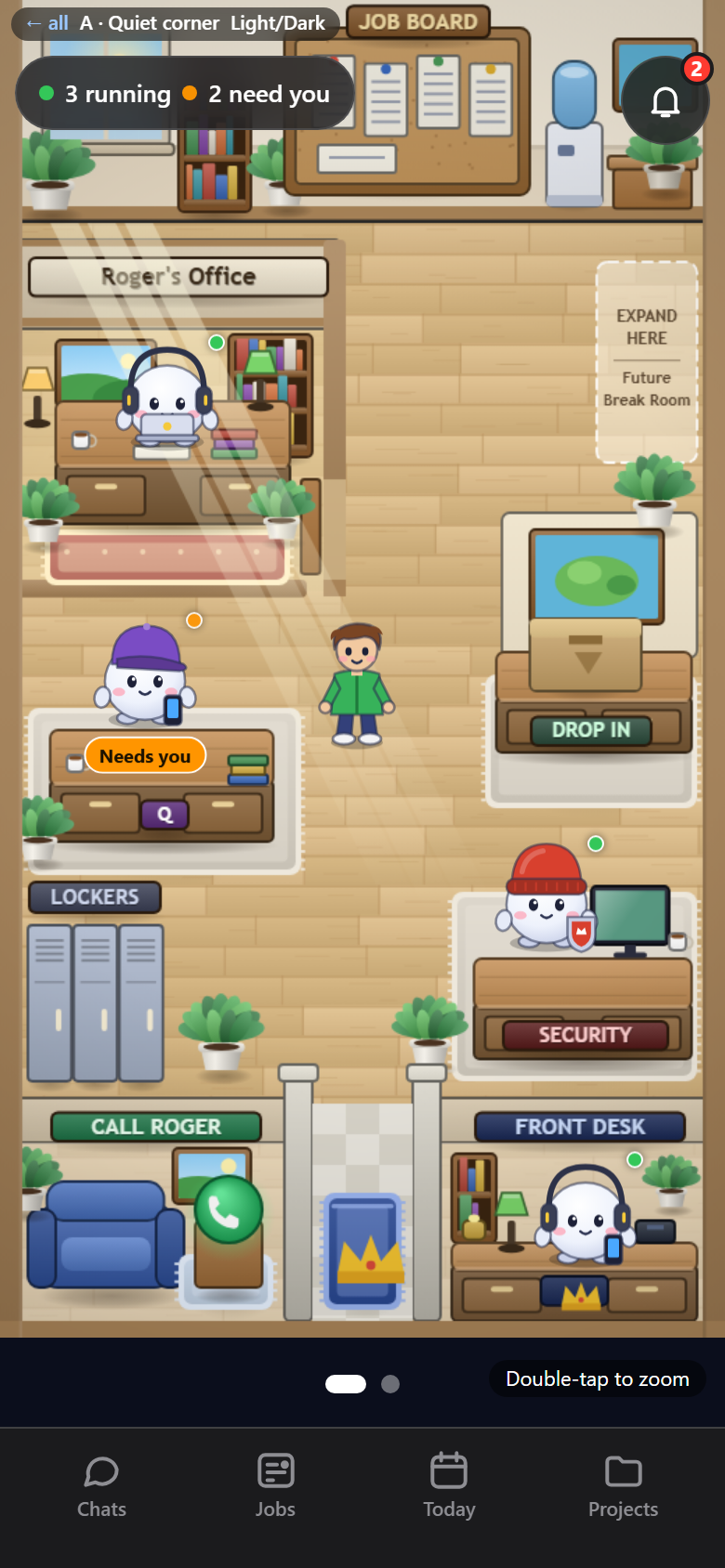
One status chip and a bell, nothing else. Tap the chip for a tray of what needs you and what is running. Double-tap zooms. Keeps the Roger tab bar.
Open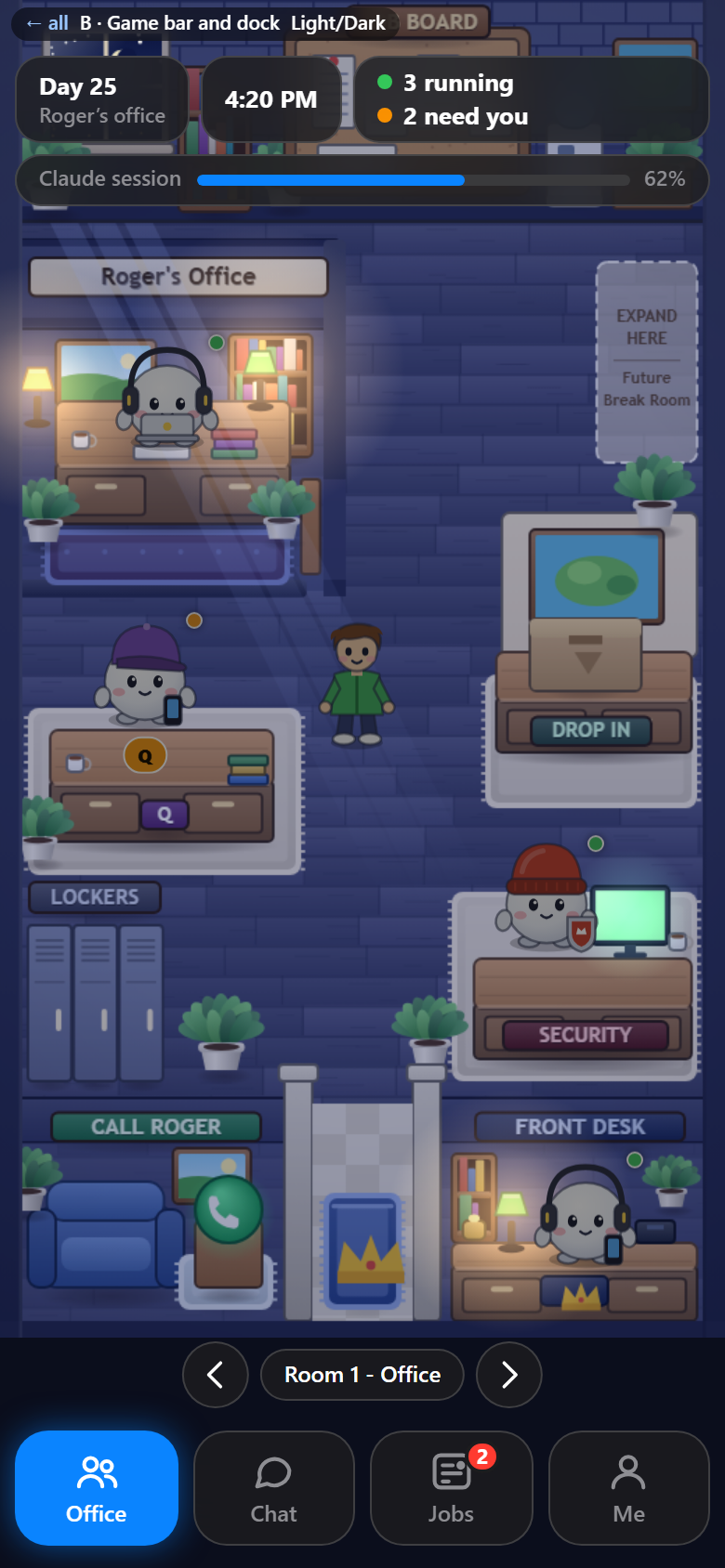
Closest to your reference photo: Day, clock and status pills on top, a Claude session % bar, a big Office / Chat / Jobs / Me dock. Full game feel.
Open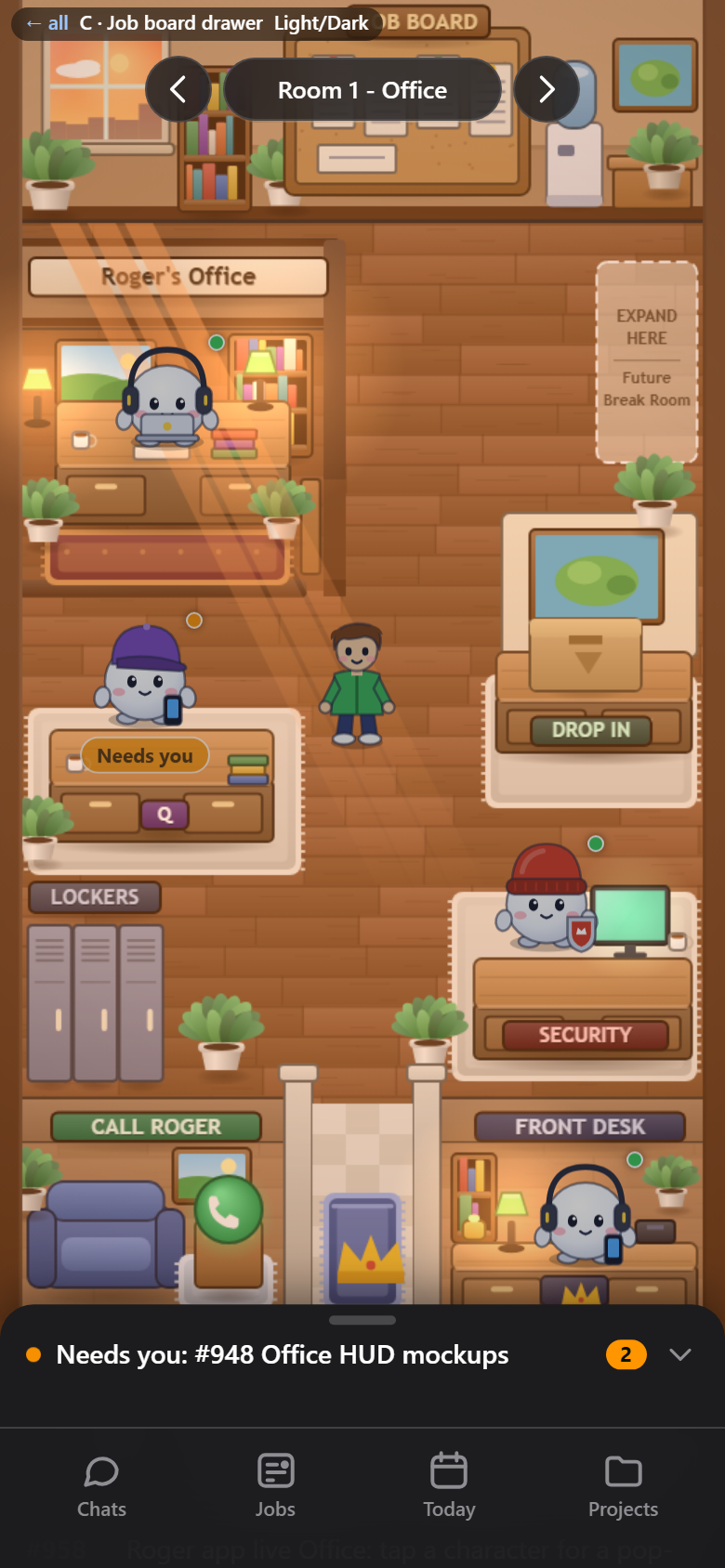
A drawer peeks the one thing that needs you; pull it up for the full board. Tap a job and the camera flies to its character. Desktop: permanent board on the right.
Open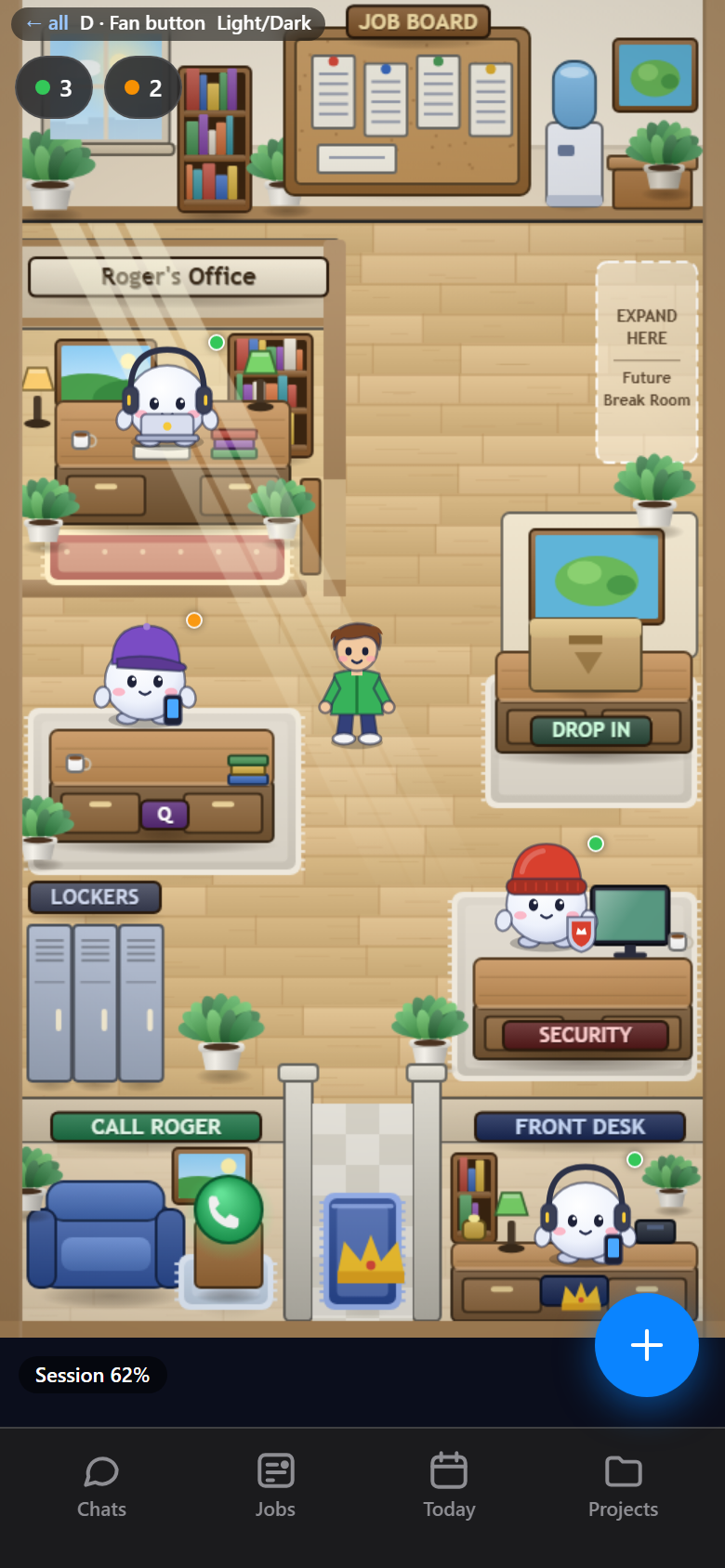
Almost no chrome: two status dots and one round button that fans out Jobs, Alerts, Call, Desk and Zoom.
Open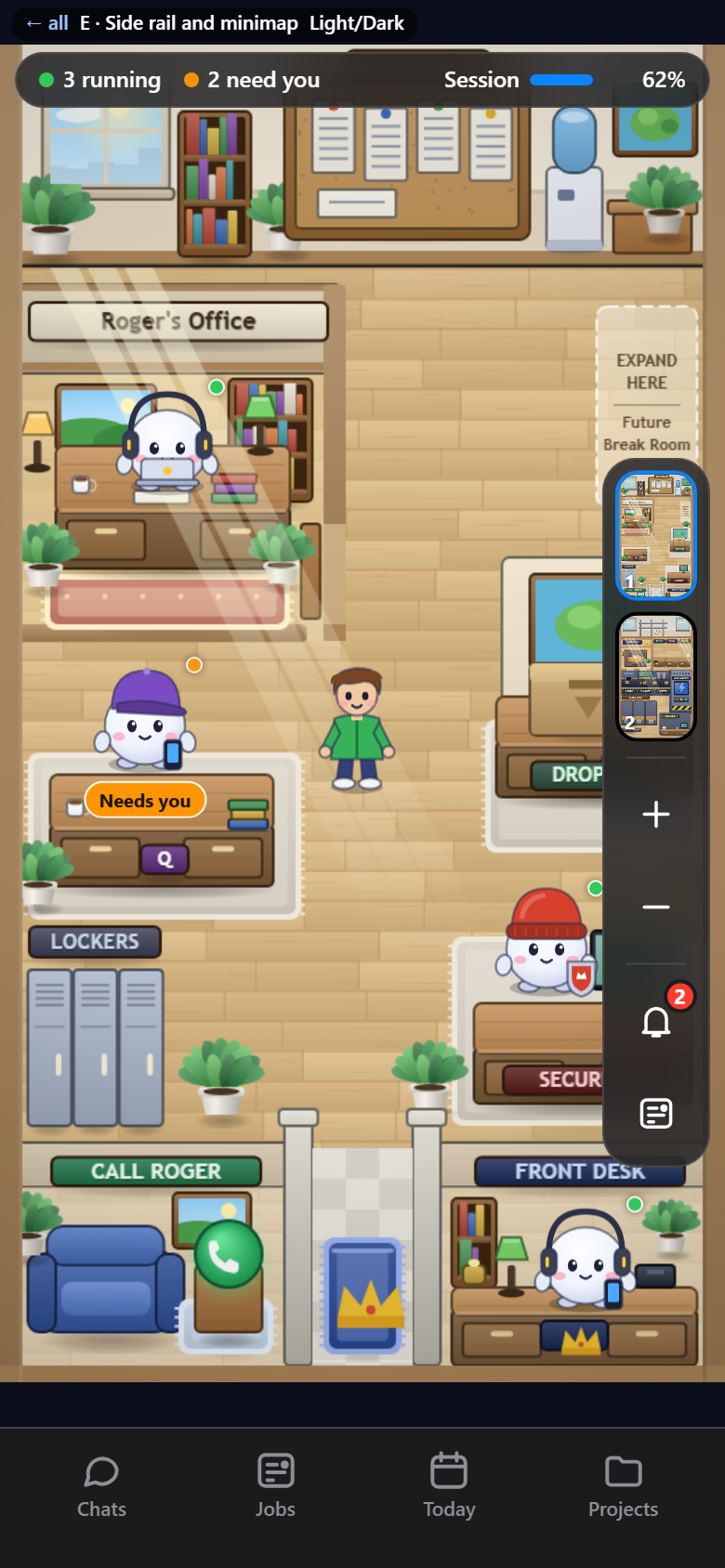
Thin status strip plus a rail with room thumbnails, zoom + / -, alerts and jobs. Desktop: rail on the left, a Needs-you panel with Answer / Show me on the right.
Open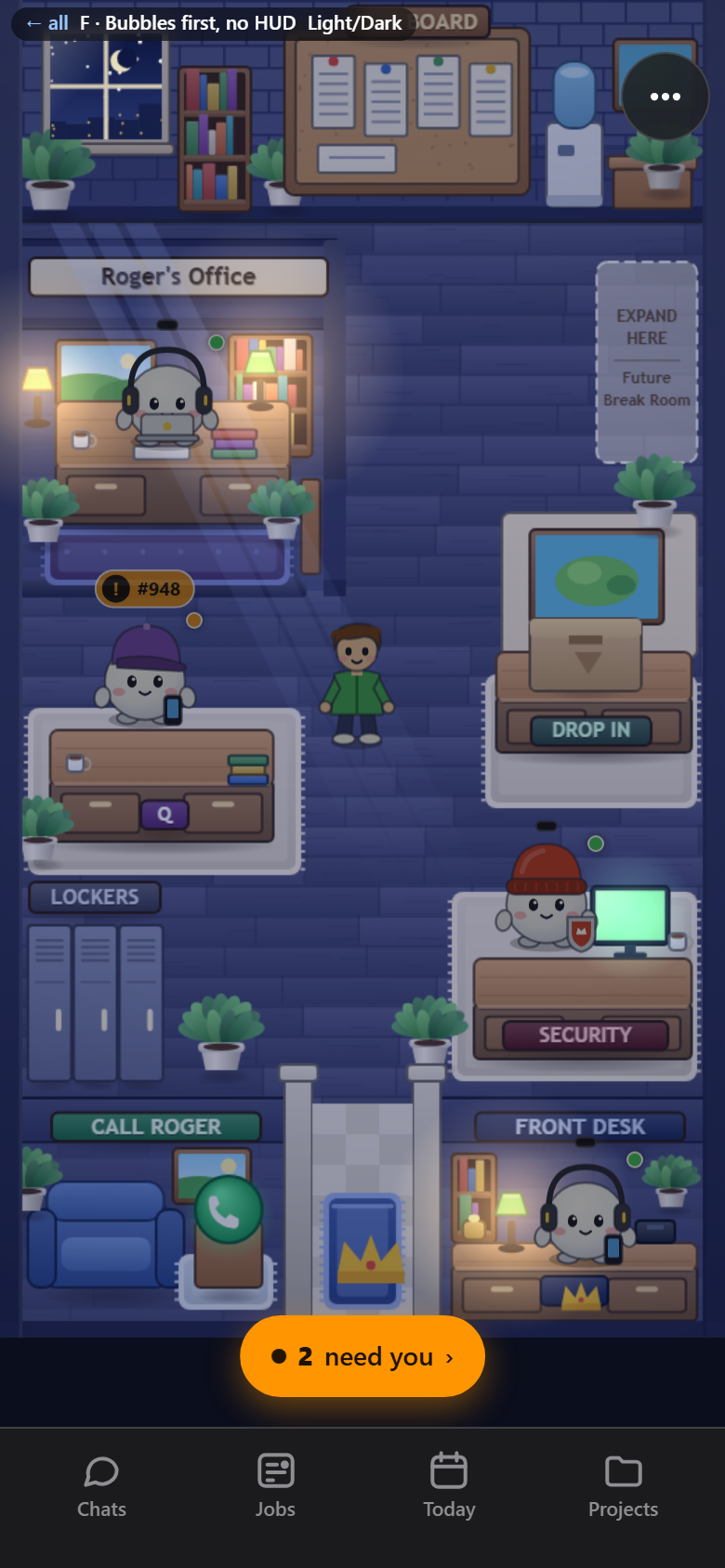
No HUD. Characters carry small status bubbles (job number, orange ! when they need you). One orange "2 need you" button walks you through them; the dots button holds the rest.
OpenThe pop-up (same in all six)
What is real and what is a placeholder
- Real: the rooms and characters, job numbers and titles (from the live queue on 2026-10-25), the Roger app colours, icons and chat bubbles.
- Placeholder: progress %, which character is on which job, the "3 running / 2 need you" counts, Claude session 62%, the clock, notifications. Nothing is saved or connected.
- Each page has a Light/Dark switch (the HUD only; the office keeps its time-of-day look) and a link back here. Open with
?look=nightto see the office at night.
Questions
- Which option (or mix) is closest to what you want? A / B / C / D / E / F
- Status on top, or in bubbles over the characters? Top bar (A, B, E) / Bubbles (C, F)
- Keep the Roger tab bar under the office, or full game screen with its own dock? Keep (A, C, D, E, F) / Full game (B)